Introducing TMA Cloud: Your Files, Your Server, Your Control
TMA Cloud is open-source, self-hosted cloud storage in Rust: a web app, a desktop app for Windows, macOS and Linux, and files encrypted in your own bucket.
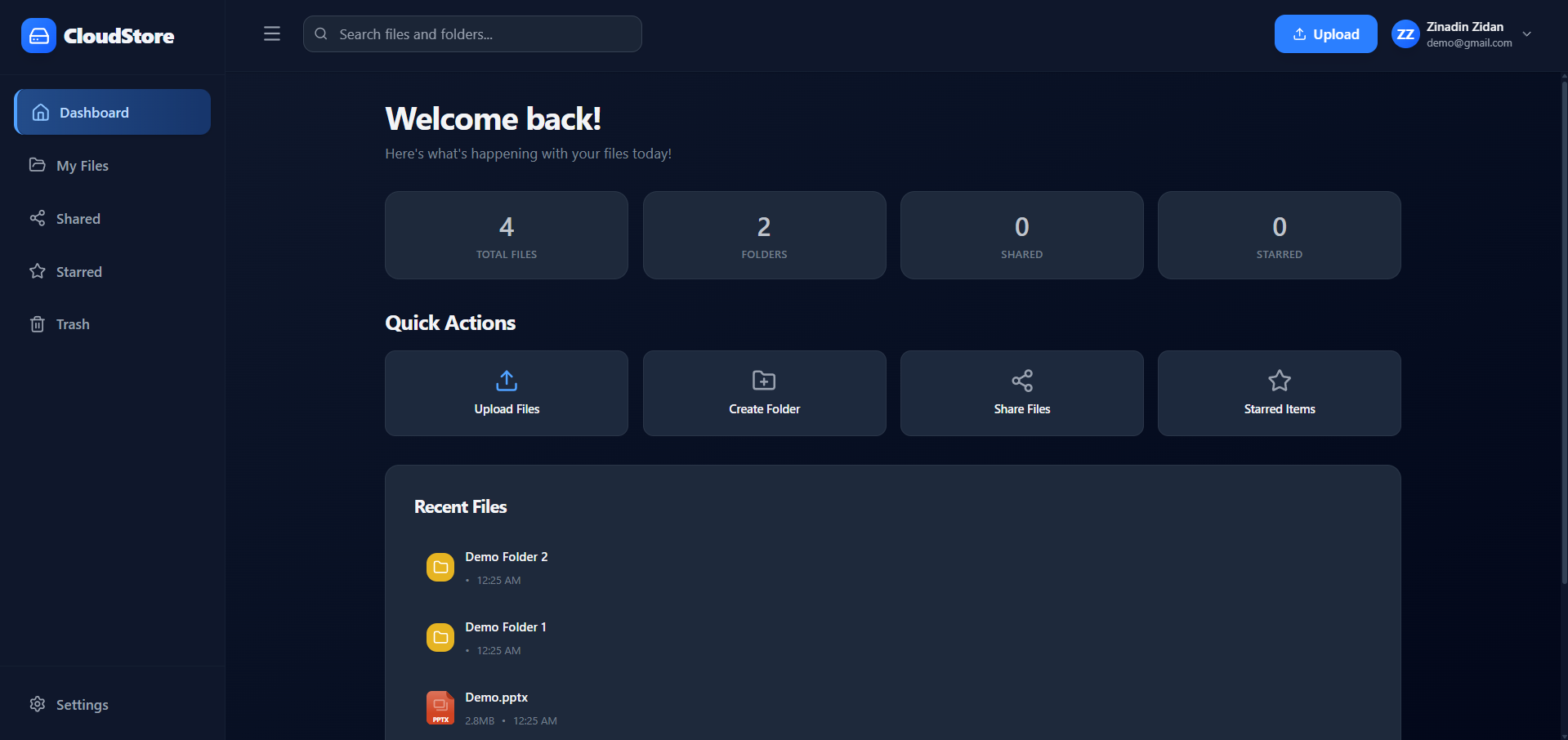
I wanted cloud storage that I could run on my own server, with files I could open from any app on my computer. The hosted services keep your files on their machines, and most self-hosted ones stop at a folder in a browser tab.
So I built TMA Cloud: open-source cloud storage you run on your own server with Docker. You use it in the browser or in a desktop app for Windows, macOS and Linux, and your files are stored encrypted in an S3-compatible bucket you choose.
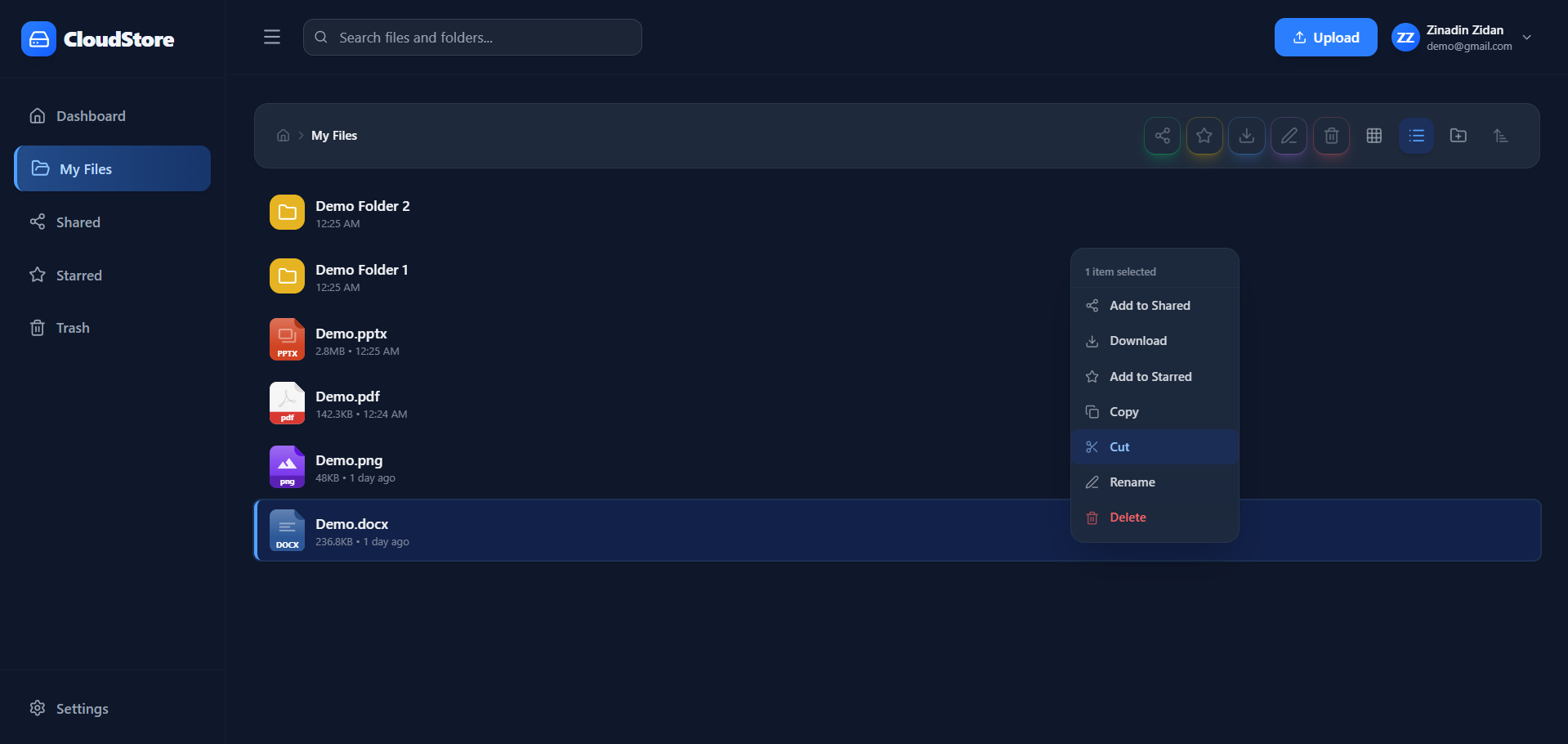
What you can do with it today
Open and save cloud files from any app. The desktop app adds a TMA Cloud folder to your computer, so Word, Outlook or WhatsApp can open and save files in it from their own dialogs.
Edit documents and keep one copy. Edit in Word, Excel or LibreOffice from that folder, or in OnlyOffice in the browser, and each save updates the same file in the cloud.
Share with a link that ends. Create read-only links that expire after 7 days, 30 days or never, optionally on a separate domain.
Give people their own login. Sub-users share your files and quota but sign in with their own email and password, and you choose what each one can do.
Move big folders without babysitting them. Uploads and downloads stream instead of loading whole files into memory, and big copies run in a background queue.
Protect accounts with a second step. Each user can turn on codes from an authenticator app, with 10 single-use backup codes.
Your files stay yours
TMA Cloud runs on your machine: a home server, a VPS or a dedicated box. You pick the storage too. Any S3-compatible bucket works, from Amazon S3 to a self-hosted one.
Every file is encrypted before it leaves the server, so the bucket only holds data it can't read. The encryption key stays with you, so back it up: without it, the files can't be decrypted.
The first account you create becomes the administrator. You decide who can sign up, how much space each user gets, and whether people may use the browser or only the desktop app.
A drive that works like OneDrive's
On Windows, the TMA Cloud folder behaves like OneDrive's. Files show up without taking space and download when you open them. Changes upload about two seconds after an app stops writing, and "Free up space" drops the local copy again.
On Linux and macOS the folder works too, and none of the three needs an extra driver.
While you have a document open in Word, Excel, PowerPoint or LibreOffice, everyone else sees that you are editing it and gets it read-only. If two saves still collide, the later one is kept beside the first as a "conflicted copy", so no work is lost.
Coming from another cloud service
Download your files from the service you use now, then drag the folders onto the TMA Cloud window; folders keep their structure. For a large archive, the server's import command encrypts and uploads a whole folder from disk. The import guide shows how.
What it isn't, yet
The desktop builds are unsigned. Windows and macOS will warn you the first time you open the installer. Download it only from the GitHub releases page.
Releases cover 64-bit Windows, Apple Silicon Macs and x86-64 Linux. On an Intel Mac or ARM Linux, you build the app from source and update it by hand.
There is no mobile app. The web app works in a phone's browser.
You run the server. Setup needs Docker, and OnlyOffice editing needs its own Document Server.
Under the hood
TMA Cloud is written in Rust. One server binary holds the REST API, a background job worker and the admin commands. It keeps its data in PostgreSQL and uses Redis for caching and live updates.
The web and desktop apps share one interface built with egui: it runs natively on the desktop and as WebAssembly in the browser. The Cloud Drive folder uses what each system already has: Cloud Files on Windows, FUSE on Linux and a local NFS share on macOS. The code is MIT-licensed, and the API reference covers every endpoint.
Try it
Install the server. It needs Docker with Compose v2. Run this command, then follow the installation guide to connect a bucket:
curl -fsSL https://raw.githubusercontent.com/TMA-Cloud/TMA/main/setup.sh | bashGet the desktop app for your system from the GitHub releases page, or watch the demo video first.
Tell me what's missing by opening an issue on GitHub.
If TMA Cloud is useful to you, star it on GitHub or share this post with someone who runs their own server.
Word, Excel, PowerPoint, Outlook and OneDrive are trademarks of the Microsoft group of companies. Other names may be trademarks of their respective owners. TMA Cloud is independent and not affiliated with them.